White-Label Monthly Management Reporting for UK Accounting Practices
See how Finenza turns agreed Xero data into a reconciled, client-ready management pack for your team to review and deliver, with a target turnaround of 48 hours once the complete agreed data is received.
Make monthly management reporting easier to deliver consistently as your client base grows
Management reporting often involves the same production steps every month: exporting Xero data, preparing comparisons, checking figures, formatting the pack, adding commentary, and creating a polished PDF for the client. Finenza takes on that production layer so your team can spend more of its time reviewing the numbers, discussing the story behind them, and supporting the client.
management packs across recurring clients
white-label PDF reporting prepared for review
for review, advisory, and client conversations
From Xero data to a finished management pack
Finenza works behind the scenes as a white-label reporting partner. Your practice provides the agreed Xero data, we prepare and reconcile the management pack, and your team reviews the finished PDF before delivering it to the client.
Provide the agreed Xero data
Start with the agreed Xero exports, or use appropriate Xero access later if your practice prefers that workflow.
Finenza prepares the pack
We process the reporting data, apply the reporting structure, prepare the comparisons and KPIs, and build the management pack.
Reporting checks are completed
The internal reporting engine applies reconciliation and consistency checks before the pack is prepared for delivery.
Your team receives the finished PDF
A white-labelled management pack is delivered for your team to review, apply professional judgement, and send to the client. Target turnaround is 48 hours once the complete agreed data is received.
A complete, white-labelled management pack ready for review
Executive Summary & Commentary
Company and reporting-period details, table of contents, and draft management observations highlighting key movements for your team to review.
Profit & Loss Statement
Month actual, same month last year, YTD actual, YTD budget, full year budget, YTD variance in £ and %. Gross profit margin and net profit margin across all periods. Budget comparison rows showing month vs budget.
Accounts Receivable Aging
Outstanding balances broken into five aging buckets from current to 90+ days overdue. Total AR, total overdue, percentage breakdown, and debtor days calculation.
KPI Dashboard
Gross profit margin, net profit margin, operating expense ratio, YTD revenue vs budget, total accounts receivable, and overdue AR ratio; each compared against the firm's own defined targets.
From source data to the finished reporting pack
The examples below use Xero's Demo Company (UK) dataset to show the source information and the finished reporting pages produced through the Finenza workflow.
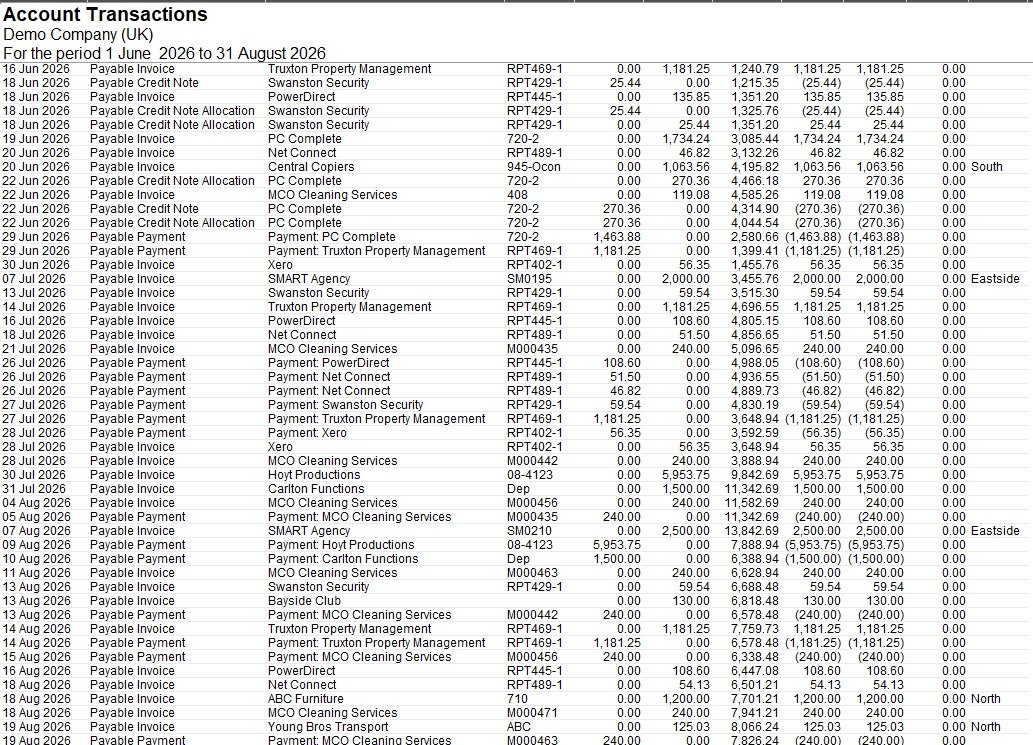
An example Xero source export used as an input to the Finenza reporting workflow.
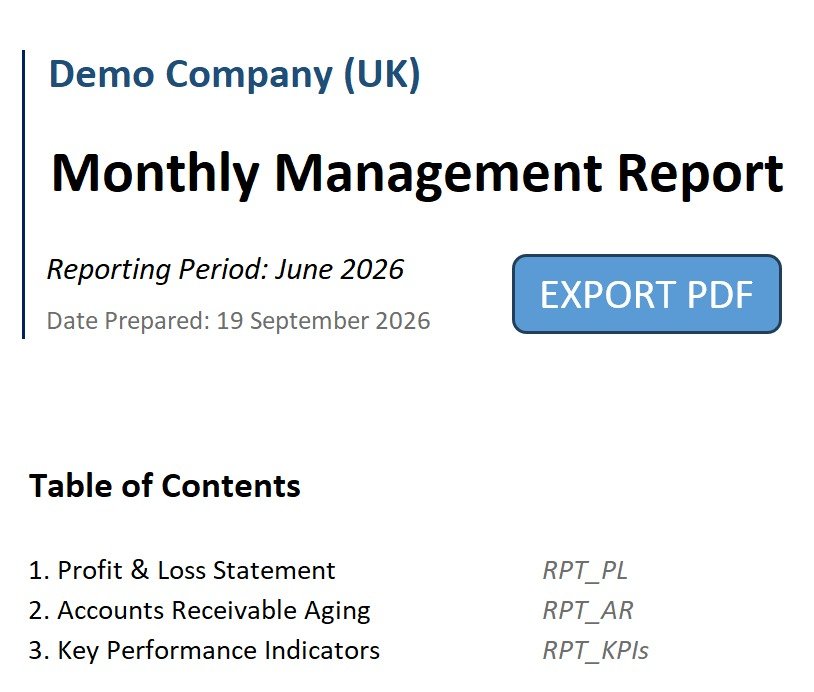
Company name, reporting period, table of contents, and executive commentary section
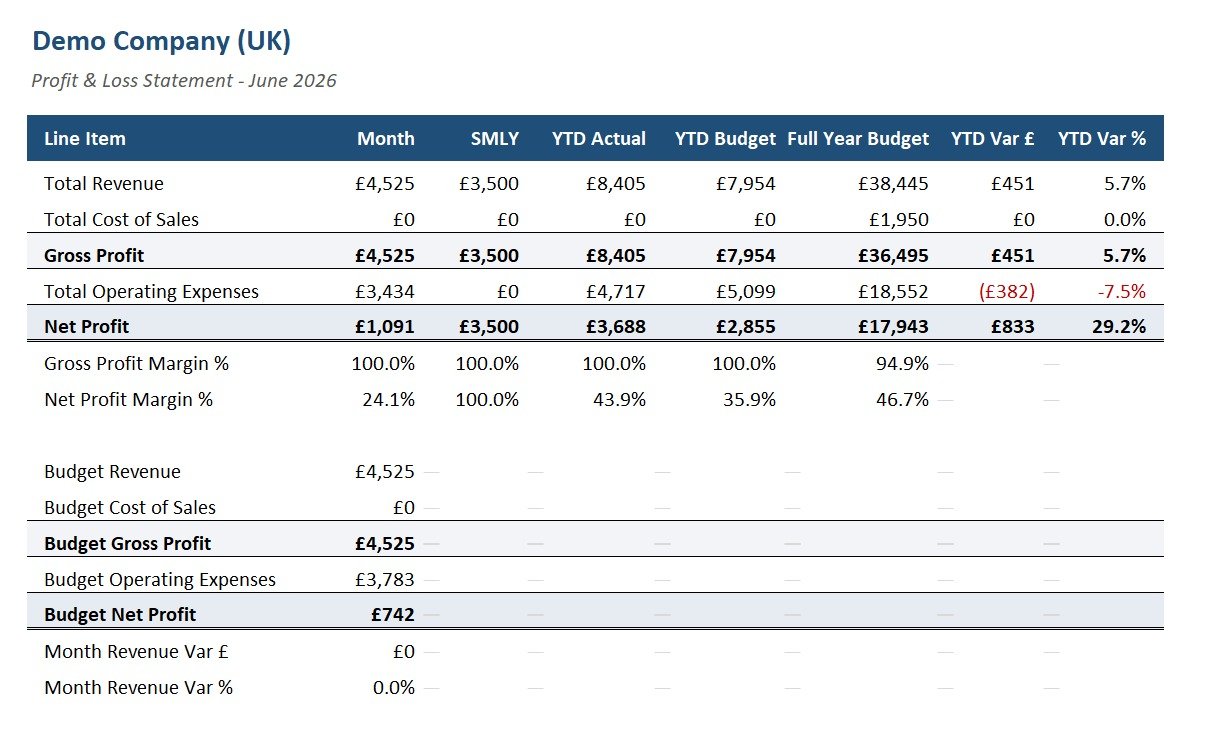
Month, SMLY, YTD Actual, YTD Budget, Full Year Budget, Variance
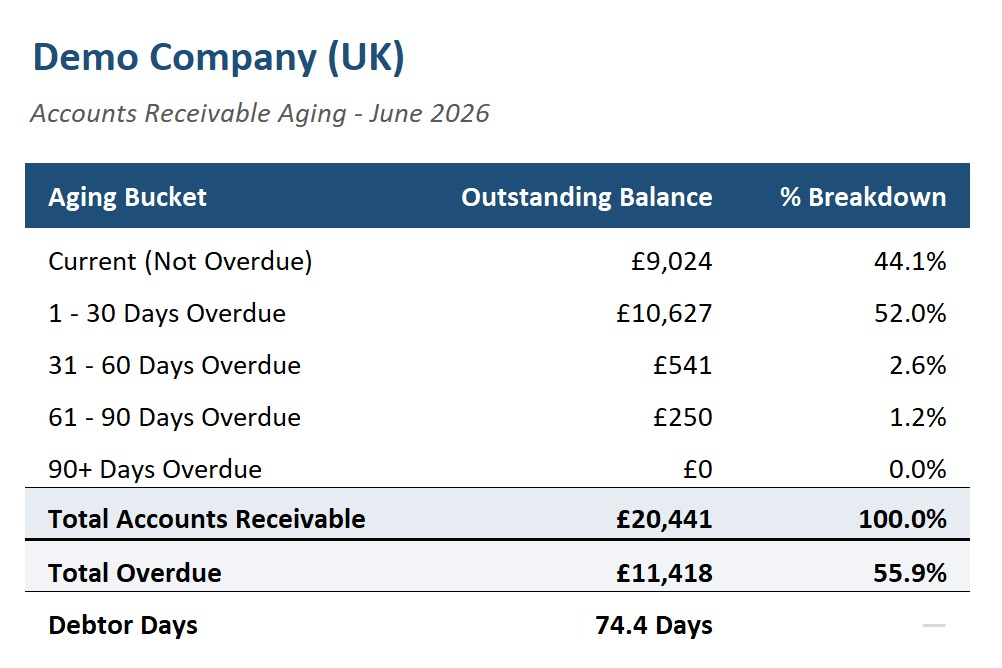
Five aging buckets, total overdue, debtor days
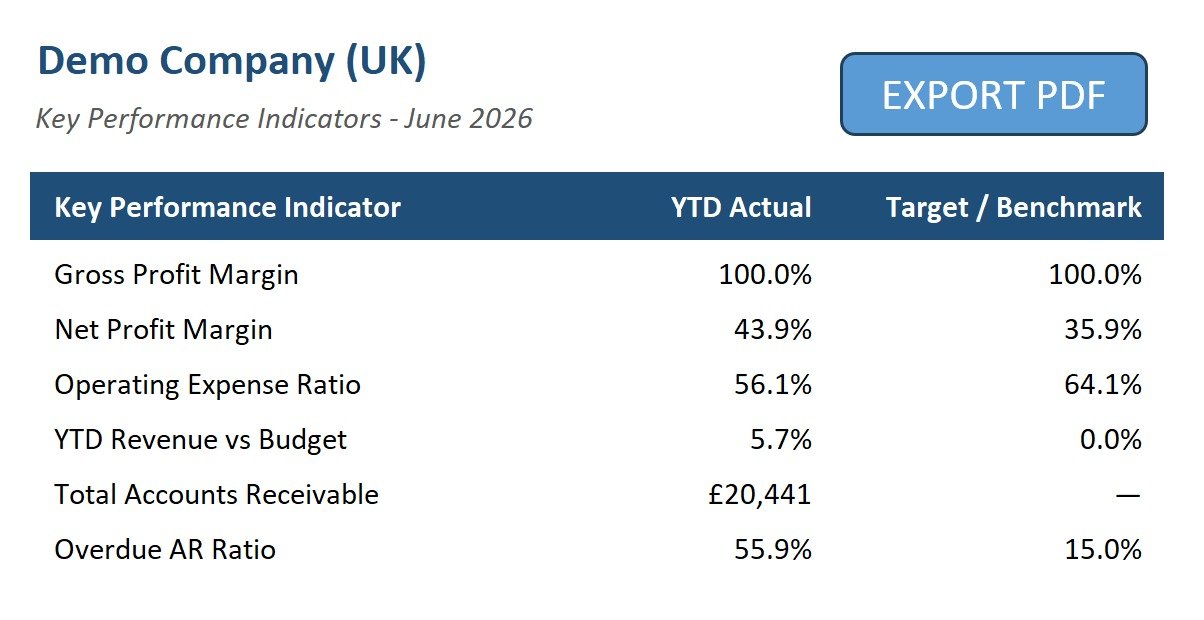
Six key metrics compared against firm-defined targets
What changes for your reporting team
- Build recurring management packs internally each month
- Prepare comparison and variance views
- Format reporting pages for client presentation
- Perform production checks before delivery
- Repeat the same reporting workflow across multiple clients
- Provide the agreed Xero data
- Finenza prepares the management pack
- Reporting and reconciliation checks are completed
- Your team receives a white-labelled PDF
- Your practice reviews the pack and delivers it to the client
A controlled reporting process behind the finished pack
Structured Data Pipeline
The internal workflow processes the agreed Xero exports across transactions, invoices, bills, receivables, budgets, and the chart of accounts, creating a consistent foundation for the reporting pack.
Reporting Logic
The internal calculation layer prepares the P&L, budget and prior-year comparisons, receivables analysis, and KPI reporting used in the finished management pack.
Reconciliation Gate
Before delivery, automated checks compare key reporting outputs with the available source data. If a check fails, the pack is held for review before export.
See what this could look like for one of your clients
We’d be happy to prepare your first management pack for free and show you what consistent, professional client reporting can look like for your practice.